
Using Effective Tools
In today’s fast-paced business environment, efficiency and productivity are key to success. One of the most effective tools for achieving this is the use of pre-made business templates. These templates provide a standardized, yet customizable framework for a variety of business tasks, ranging from project management to financial reporting, and you can use them to gain these benefits!
1. Time-Saving Benefits: Pre-made business templates are a significant time saver. Instead of starting from scratch, professionals can leverage these templates to jumpstart their tasks. This is particularly useful for project management, where time is often of the essence. Templates for project timelines, Gantt charts, and progress tracking can be particularly beneficial.
2. Consistency and Standardization: Consistency is crucial in business communications and reporting. Pre-made templates ensure that every document or report follows the same format, layout, and design, which not only looks professional but also makes it easier for team members and stakeholders to understand and process information.
3. Cost-Effective Solution: Creating documents from scratch can be resource-intensive. By using templates, businesses can cut down on the time and resources spent on document creation. This can be especially beneficial for small businesses or startups that may not have the budget for a dedicated team to handle document design and creation.

While this template is included in the 20+ templates in the starter kit, you can purchase individually as needed! This template shares several different version of a RACI Chart for Projects so that you can make sure Roles and Responsibilities are clearly defined on your Project. This instant download Project Managers 6+ different RACI Chart Templates Version in Google Sheets, Excel and Notion. Be sure your team knows who is accountable for what with this RACI today.
✍️ Product Details
- Instant Download:Once you have added your item to cart and completed your purchase, you'll receive a file with links to the live files for the templates and/or guides & tutorials.
- Customizable: With your template you will be able to:
- Save a personal copy for yourself
- Add, Remove or Edit all text and images.
- Adjust text color, and look and feel as desired
- Live link to file: With a live link to a Notion, GDocs or GSheets format, you have the ability to download a version of the file at the time of receipt, but hang onto the link to receive all of the additional updates to the file over time so always have the latest and greatest version!
⏳ Why Use a Business Template? ⌛
- Time-Saving: Templates significantly cut down the hours spent on planning and management. More time means more focus on strategic decisions.
- Consistency: Following a template ensures that you don’t miss out on essential steps, keeping your project standardized and professional.
- Cost-Efficient: By saving time, you inherently save money. Think of it as an investment that pays off exponentially.
- User-Friendly: Designed with both novice and seasoned professionals in mind. Spend less time figuring out the "how" and more time executing.
- Scalable: As your projects grow, your template grows with you. Easily adaptable for different project scopes and sizes.
🌟 For Google Templates: Google Docs & Sheets Templates are able to be exported to Microsoft Word or Excel. On occasion we will link an Excel or Word doc directly to a download file for convenience, but we always recommend following the live link provided with your purchase to access the latest version, and then export a copy to Word or Excel from there.
🌟 For Notion Templates:
-Note: You do not need a Notion account to view the template, but you will need to create a free account to be able to save a Notion template. Sign up is simple, and all you need is your name, email and a password, just like creating a free Google account). There is no cost to do this. There is a pro version of this software for purchase that has additional features, but you do not need the pro version to access this template.
- Follow the ‘How to duplicate a template’ instructions in your file to either
1. Export the template to PDF
2. Copy and paste the information into Word or Google Docs.
3. Duplicate and save a version of the Notion Template
🌟 For Canva Templates: Like Notion, You will need to create a FREE Canva account to access templates created in Canva.
Additional Details:
- 100% Original Content: None of the files being presented here are pulled from across the web and repurposed. If you see any version of this template being sold by anybody other than this shop owner, please report.
- Access Forever: We frequently add updates and new versions to our templates, these will be added to the live file at the same link so that you will always have the most relevant industry standard updates.
- Instant Download & Compatibility: Upon purchase, you will receive a file that has a live link to your template or training. From there, you will be able to see instructions on how to duplicate the file. Please review the product description to understand what format to expect your file
- Refunds & Satisfaction: Due to the nature of the product, I cannot offer a refund because after purchase you will have already had access to the tool or template. However, should the template not meet your goals, please reach out us to see if an adjustment or update to the template can be made and do everything we can to fix your issue so that you are satisfied.

✍️ Product Details
• Instant Download: Once you have added your item to cart and completed your purchase, you'll receive a file with links to the live files for the templates and/or guides & tutorials.
• Customizable: With your template you will be able to:
o Save a personal copy for yourself.
o Add, Remove or Edit all text and images.
o Adjust text color, and look and feel as desired.
• Live link to file: With a live link to a Notion, GDocs or GSheets format, you have the ability to download a version of the file at the time of receipt but hang onto the link to receive all of the additional updates to the file over time so always have the latest and greatest version!
🌟 For Google Templates: Google Docs & Sheets Templates are able to be exported to Microsoft Word or Excel. On occasion we will link an Excel or Word doc directly to a download file for convenience, but we always recommend following the live link provided with your purchase to access the latest version, and then export a copy to Word or Excel from there.
🌟 For Notion Templates: Note: You do not need a Notion account to view the template, but you will need to create a free account to be able to save a Notion template. Sign up is simple, and all you need is your name, email and a password, just like creating a free Google account). There is no cost to do this. There is a pro version of this software for purchase that has additional features, but you do not need the pro version to access this template.
• Follow the ‘How to duplicate a template’ instructions in your file to either.
o Export the template to PDF.
o Copy and paste the information into Word or Google Docs.
o Duplicate and save a version of the Notion Template
🌟 For Canva Templates: Like Notion, You will need to create a FREE Canva account to access templates created in Canva.
Additional Details:
• 100% Original Content: None of the files being presented here are pulled from across the web and repurposed. If you see any version of this template being sold by anybody other than this shop owner, please report.
• Access Forever: We frequently add updates and new versions to our templates, these will be added to the live file at the same link so that you will always have the most relevant industry standard updates.
• Instant Download & Compatibility: Upon purchase, you will receive a file that has a live link to your template or training. From there, you will be able to see instructions on how to duplicate the file. Please review the product description to understand what format to expect your file.
• Refunds & Satisfaction: Due to the nature of the product, I cannot offer a refund because after purchase you will have already had access to the tool or template. However, should the template not meet your goals, please reach out us to see if an adjustment or update to the template can be made and do everything, we can to fix your issue so that you are satisfied.
✍️ Product Details
• Instant Download: Once you have added your item to cart and completed your purchase, you'll receive a file with links to the live files for the templates and/or guides & tutorials.
• Customizable: With your template you will be able to:
o Save a personal copy for yourself.
o Add, Remove or Edit all text and images.
o Adjust text color, and look and feel as desired.
• Live link to file: With a live link to a Notion, GDocs or GSheets format, you have the ability to download a version of the file at the time of receipt but hang onto the link to receive all of the additional updates to the file over time so always have the latest and greatest version!
🌟 For Google Templates: Google Docs & Sheets Templates are able to be exported to Microsoft Word or Excel. On occasion we will link an Excel or Word doc directly to a download file for convenience, but we always recommend following the live link provided with your purchase to access the latest version, and then export a copy to Word or Excel from there.
🌟 For Notion Templates: Note: You do not need a Notion account to view the template, but you will need to create a free account to be able to save a Notion template. Sign up is simple, and all you need is your name, email and a password, just like creating a free Google account). There is no cost to do this. There is a pro version of this software for purchase that has additional features, but you do not need the pro version to access this template.
• Follow the ‘How to duplicate a template’ instructions in your file to either.
o Export the template to PDF.
o Copy and paste the information into Word or Google Docs.
o Duplicate and save a version of the Notion Template
🌟 For Canva Templates: Like Notion, You will need to create a FREE Canva account to access templates created in Canva.
Additional Details:
• 100% Original Content: None of the files being presented here are pulled from across the web and repurposed. If you see any version of this template being sold by anybody other than this shop owner, please report.
• Access Forever: We frequently add updates and new versions to our templates, these will be added to the live file at the same link so that you will always have the most relevant industry standard updates.
• Instant Download & Compatibility: Upon purchase, you will receive a file that has a live link to your template or training. From there, you will be able to see instructions on how to duplicate the file. Please review the product description to understand what format to expect your file.
• Refunds & Satisfaction: Due to the nature of the product, I cannot offer a refund because after purchase you will have already had access to the tool or template. However, should the template not meet your goals, please reach out us to see if an adjustment or update to the template can be made and do everything, we can to fix your issue so that you are satisfied.

A Statement of Work outline in three different formats, along with a starting library of considerations and library of language to add that will be ever evolving. One time purchase gets you permanent access. (This template is also included in the PM starter pack)
✍️ Product Details
Instant Download:Once you have added your item to cart and completed your purchase, you'll receive a file with links to the live files for the templates and/or guides & tutorials.
Customizable: With your template you will be able to:
Save a personal copy for yourself
Add, Remove or Edit all text and images.
Adjust text color, and look and feel as desired
Live link to file: With a live link to a Notion, GDocs or GSheets format, you have the ability to download a version of the file at the time of receipt, but hang onto the link to receive all of the additional updates to the file over time so always have the latest and greatest version!
⏳ Why Use a Business Template? ⌛
Time-Saving: Templates significantly cut down the hours spent on planning and management. More time means more focus on strategic decisions.
Consistency: Following a template ensures that you don’t miss out on essential steps, keeping your project standardized and professional.
Cost-Efficient: By saving time, you inherently save money. Think of it as an investment that pays off exponentially.
User-Friendly: Designed with both novice and seasoned professionals in mind. Spend less time figuring out the "how" and more time executing.
Scalable: As your projects grow, your template grows with you. Easily adaptable for different project scopes and sizes.
🌟 For Google Templates: Google Docs & Sheets Templates are able to be exported to Microsoft Word or Excel. On occasion we will link an Excel or Word doc directly to a download file for convenience, but we always recommend following the live link provided with your purchase to access the latest version, and then export a copy to Word or Excel from there.
🌟 For Notion Templates: -Note: You do not need a Notion account to view the template, but you will need to create a free account to be able to save a Notion template. Sign up is simple, and all you need is your name, email and a password, just like creating a free Google account). There is no cost to do this. There is a pro version of this software for purchase that has additional features, but you do not need the pro version to access this template.
Follow the ‘How to duplicate a template’ instructions in your file to either
Export the template to PDF
Copy and paste the information into Word or Google Docs.
Duplicate and save a version of the Notion Template
🌟 For Canva Templates: Like Notion, You will need to create a FREE Canva account to access templates created in Canva.
Additional Details:
100% Original Content: None of the files being presented here are pulled from across the web and repurposed. If you see any version of this template being sold by anybody other than this shop owner, please report.
Access Forever: We frequently add updates and new versions to our templates, these will be added to the live file at the same link so that you will always have the most relevant industry standard updates.
Instant Download & Compatibility: Upon purchase, you will receive a file that has a live link to your template or training. From there, you will be able to see instructions on how to duplicate the file. Please review the product description to understand what format to expect your file
Refunds & Satisfaction: Due to the nature of the product, I cannot offer a refund because after purchase you will have already had access to the tool or template. However, should the template not meet your goals, please reach out us to see if an adjustment or update to the template can be made and do everything we can to fix your issue so that you are satisfied.
✍️ Product Details
• Instant Download: Once you have added your item to cart and completed your purchase, you'll receive a file with links to the live files for the templates and/or guides & tutorials.
• Customizable: With your template you will be able to:
o Save a personal copy for yourself.
o Add, Remove or Edit all text and images.
o Adjust text color, and look and feel as desired.
• Live link to file: With a live link to a Notion, GDocs or GSheets format, you have the ability to download a version of the file at the time of receipt but hang onto the link to receive all of the additional updates to the file over time so always have the latest and greatest version!
🌟 For Google Templates: Google Docs & Sheets Templates are able to be exported to Microsoft Word or Excel. On occasion we will link an Excel or Word doc directly to a download file for convenience, but we always recommend following the live link provided with your purchase to access the latest version, and then export a copy to Word or Excel from there.
🌟 For Notion Templates: Note: You do not need a Notion account to view the template, but you will need to create a free account to be able to save a Notion template. Sign up is simple, and all you need is your name, email and a password, just like creating a free Google account). There is no cost to do this. There is a pro version of this software for purchase that has additional features, but you do not need the pro version to access this template.
• Follow the ‘How to duplicate a template’ instructions in your file to either.
o Export the template to PDF.
o Copy and paste the information into Word or Google Docs.
o Duplicate and save a version of the Notion Template
🌟 For Canva Templates: Like Notion, You will need to create a FREE Canva account to access templates created in Canva.
Additional Details:
• 100% Original Content: None of the files being presented here are pulled from across the web and repurposed. If you see any version of this template being sold by anybody other than this shop owner, please report.
• Access Forever: We frequently add updates and new versions to our templates, these will be added to the live file at the same link so that you will always have the most relevant industry standard updates.
• Instant Download & Compatibility: Upon purchase, you will receive a file that has a live link to your template or training. From there, you will be able to see instructions on how to duplicate the file. Please review the product description to understand what format to expect your file.
• Refunds & Satisfaction: Due to the nature of the product, I cannot offer a refund because after purchase you will have already had access to the tool or template. However, should the template not meet your goals, please reach out us to see if an adjustment or update to the template can be made and do everything, we can to fix your issue so that you are satisfied.
✍️ Product Details
• Instant Download: Once you have added your item to cart and completed your purchase, you'll receive a file with links to the live files for the templates and/or guides & tutorials.
• Customizable: With your template you will be able to:
o Save a personal copy for yourself.
o Add, Remove or Edit all text and images.
o Adjust text color, and look and feel as desired.
• Live link to file: With a live link to a Notion, GDocs or GSheets format, you have the ability to download a version of the file at the time of receipt but hang onto the link to receive all of the additional updates to the file over time so always have the latest and greatest version!
🌟 For Google Templates: Google Docs & Sheets Templates are able to be exported to Microsoft Word or Excel. On occasion we will link an Excel or Word doc directly to a download file for convenience, but we always recommend following the live link provided with your purchase to access the latest version, and then export a copy to Word or Excel from there.
🌟 For Notion Templates: Note: You do not need a Notion account to view the template, but you will need to create a free account to be able to save a Notion template. Sign up is simple, and all you need is your name, email and a password, just like creating a free Google account). There is no cost to do this. There is a pro version of this software for purchase that has additional features, but you do not need the pro version to access this template.
• Follow the ‘How to duplicate a template’ instructions in your file to either.
o Export the template to PDF.
o Copy and paste the information into Word or Google Docs.
o Duplicate and save a version of the Notion Template
🌟 For Canva Templates: Like Notion, You will need to create a FREE Canva account to access templates created in Canva.
Additional Details:
• 100% Original Content: None of the files being presented here are pulled from across the web and repurposed. If you see any version of this template being sold by anybody other than this shop owner, please report.
• Access Forever: We frequently add updates and new versions to our templates, these will be added to the live file at the same link so that you will always have the most relevant industry standard updates.
• Instant Download & Compatibility: Upon purchase, you will receive a file that has a live link to your template or training. From there, you will be able to see instructions on how to duplicate the file. Please review the product description to understand what format to expect your file.
• Refunds & Satisfaction: Due to the nature of the product, I cannot offer a refund because after purchase you will have already had access to the tool or template. However, should the template not meet your goals, please reach out us to see if an adjustment or update to the template can be made and do everything, we can to fix your issue so that you are satisfied.
✍️ Product Details
• Instant Download: Once you have added your item to cart and completed your purchase, you'll receive a file with links to the live files for the templates and/or guides & tutorials.
• Customizable: With your template you will be able to:
o Save a personal copy for yourself.
o Add, Remove or Edit all text and images.
o Adjust text color, and look and feel as desired.
• Live link to file: With a live link to a Notion, GDocs or GSheets format, you have the ability to download a version of the file at the time of receipt but hang onto the link to receive all of the additional updates to the file over time so always have the latest and greatest version!
🌟 For Google Templates: Google Docs & Sheets Templates are able to be exported to Microsoft Word or Excel. On occasion we will link an Excel or Word doc directly to a download file for convenience, but we always recommend following the live link provided with your purchase to access the latest version, and then export a copy to Word or Excel from there.
🌟 For Notion Templates: Note: You do not need a Notion account to view the template, but you will need to create a free account to be able to save a Notion template. Sign up is simple, and all you need is your name, email and a password, just like creating a free Google account). There is no cost to do this. There is a pro version of this software for purchase that has additional features, but you do not need the pro version to access this template.
• Follow the ‘How to duplicate a template’ instructions in your file to either.
o Export the template to PDF.
o Copy and paste the information into Word or Google Docs.
o Duplicate and save a version of the Notion Template
🌟 For Canva Templates: Like Notion, You will need to create a FREE Canva account to access templates created in Canva.
Additional Details:
• 100% Original Content: None of the files being presented here are pulled from across the web and repurposed. If you see any version of this template being sold by anybody other than this shop owner, please report.
• Access Forever: We frequently add updates and new versions to our templates, these will be added to the live file at the same link so that you will always have the most relevant industry standard updates.
• Instant Download & Compatibility: Upon purchase, you will receive a file that has a live link to your template or training. From there, you will be able to see instructions on how to duplicate the file. Please review the product description to understand what format to expect your file.
• Refunds & Satisfaction: Due to the nature of the product, I cannot offer a refund because after purchase you will have already had access to the tool or template. However, should the template not meet your goals, please reach out us to see if an adjustment or update to the template can be made and do everything, we can to fix your issue so that you are satisfied.
✍️ Product Details
• Instant Download: Once you have added your item to cart and completed your purchase, you'll receive a file with links to the live files for the templates and/or guides & tutorials.
• Customizable: With your template you will be able to:
o Save a personal copy for yourself.
o Add, Remove or Edit all text and images.
o Adjust text color, and look and feel as desired.
• Live link to file: With a live link to a Notion, GDocs or GSheets format, you have the ability to download a version of the file at the time of receipt but hang onto the link to receive all of the additional updates to the file over time so always have the latest and greatest version!
🌟 For Google Templates: Google Docs & Sheets Templates are able to be exported to Microsoft Word or Excel. On occasion we will link an Excel or Word doc directly to a download file for convenience, but we always recommend following the live link provided with your purchase to access the latest version, and then export a copy to Word or Excel from there.
🌟 For Notion Templates: Note: You do not need a Notion account to view the template, but you will need to create a free account to be able to save a Notion template. Sign up is simple, and all you need is your name, email and a password, just like creating a free Google account). There is no cost to do this. There is a pro version of this software for purchase that has additional features, but you do not need the pro version to access this template.
• Follow the ‘How to duplicate a template’ instructions in your file to either.
o Export the template to PDF.
o Copy and paste the information into Word or Google Docs.
o Duplicate and save a version of the Notion Template
🌟 For Canva Templates: Like Notion, You will need to create a FREE Canva account to access templates created in Canva.
Additional Details:
• 100% Original Content: None of the files being presented here are pulled from across the web and repurposed. If you see any version of this template being sold by anybody other than this shop owner, please report.
• Access Forever: We frequently add updates and new versions to our templates, these will be added to the live file at the same link so that you will always have the most relevant industry standard updates.
• Instant Download & Compatibility: Upon purchase, you will receive a file that has a live link to your template or training. From there, you will be able to see instructions on how to duplicate the file. Please review the product description to understand what format to expect your file.
• Refunds & Satisfaction: Due to the nature of the product, I cannot offer a refund because after purchase you will have already had access to the tool or template. However, should the template not meet your goals, please reach out us to see if an adjustment or update to the template can be made and do everything, we can to fix your issue so that you are satisfied.
✍️ Product Details
• Instant Download: Once you have added your item to cart and completed your purchase, you'll receive a file with links to the live files for the templates and/or guides & tutorials.
• Customizable: With your template you will be able to:
o Save a personal copy for yourself.
o Add, Remove or Edit all text and images.
o Adjust text color, and look and feel as desired.
• Live link to file: With a live link to a Notion, GDocs or GSheets format, you have the ability to download a version of the file at the time of receipt but hang onto the link to receive all of the additional updates to the file over time so always have the latest and greatest version!
🌟 For Google Templates: Google Docs & Sheets Templates are able to be exported to Microsoft Word or Excel. On occasion we will link an Excel or Word doc directly to a download file for convenience, but we always recommend following the live link provided with your purchase to access the latest version, and then export a copy to Word or Excel from there.
🌟 For Notion Templates: Note: You do not need a Notion account to view the template, but you will need to create a free account to be able to save a Notion template. Sign up is simple, and all you need is your name, email and a password, just like creating a free Google account). There is no cost to do this. There is a pro version of this software for purchase that has additional features, but you do not need the pro version to access this template.
• Follow the ‘How to duplicate a template’ instructions in your file to either.
o Export the template to PDF.
o Copy and paste the information into Word or Google Docs.
o Duplicate and save a version of the Notion Template
🌟 For Canva Templates: Like Notion, You will need to create a FREE Canva account to access templates created in Canva.
Additional Details:
• 100% Original Content: None of the files being presented here are pulled from across the web and repurposed. If you see any version of this template being sold by anybody other than this shop owner, please report.
• Access Forever: We frequently add updates and new versions to our templates, these will be added to the live file at the same link so that you will always have the most relevant industry standard updates.
• Instant Download & Compatibility: Upon purchase, you will receive a file that has a live link to your template or training. From there, you will be able to see instructions on how to duplicate the file. Please review the product description to understand what format to expect your file.
• Refunds & Satisfaction: Due to the nature of the product, I cannot offer a refund because after purchase you will have already had access to the tool or template. However, should the template not meet your goals, please reach out us to see if an adjustment or update to the template can be made and do everything, we can to fix your issue so that you are satisfied.

✍️ Product Details
• Instant Download: Once you have added your item to cart and completed your purchase, you'll receive a file with links to the live files for the templates and/or guides & tutorials.
• Customizable: With your template you will be able to: Save a personal copy for yourself, Add, Remove or Edit all text and images, Adjust text color, and look and feel as desired.
• Live link to file: With a live link to a Notion, GDocs or GSheets format, you have the ability to download a version of the file at the time of receipt but hang onto the link to receive all of the additional updates to the file over time so always have the latest and greatest version!
🌟 For Google Templates: Google Docs & Sheets Templates are able to be exported to Microsoft Word or Excel. On occasion we will link an Excel or Word doc directly to a download file for convenience, but we always recommend following the live link provided with your purchase to access the latest version, and then export a copy to Word or Excel from there.
🌟 For Notion Templates: Note: You do not need a Notion account to view the template, but you will need to create a free account to be able to save a Notion template. Sign up is simple, and all you need is your name, email and a password, just like creating a free Google account). There is no cost to do this. There is a pro version of this software for purchase that has additional features, but you do not need the pro version to access this template.
• Follow the ‘How to duplicate a template’ instructions in your file to either.
o Export the template to PDF.
o Copy and paste the information into Word or Google Docs.
o Duplicate and save a version of the Notion Template
🌟 For Canva Templates: Like Notion, You will need to create a FREE Canva account to access templates created in Canva.
Additional Details:
• 100% Original Content: None of the files being presented here are pulled from across the web and repurposed. If you see any version of this template being sold by anybody other than this shop owner, please report.
• Access Forever: We frequently add updates and new versions to our templates, these will be added to the live file at the same link so that you will always have the most relevant industry standard updates.
• Instant Download & Compatibility: Upon purchase, you will receive a file that has a live link to your template or training. From there, you will be able to see instructions on how to duplicate the file. Please review the product description to understand what format to expect your file.
• Refunds & Satisfaction: Due to the nature of the product, I cannot offer a refund because after purchase you will have already had access to the tool or template. However, should the template not meet your goals, please reach out us to see if an adjustment or update to the template can be made and do everything, we can to fix your issue so that you are satisfied.

While this template is included in the 20+ templates in the starter kit, you can purchase individually as needed!
Looking to streamline your project game? Here's a two-in-one deal you can't ignore. First up, a versatile Project Checklist for all your solution development needs. And second? A precise guide for setting up a project from scratch.
Simple, yet powerful. A must-have for any business pro aiming for success without the stress. Invest in efficiency today!

Work smarter, not harder. Save yourself countless hours on searching for what you need or creating it from scratch. This PM Template Starter pack has 20+ template versions to cover the essentials. Along with the templates, you’ll also get information about some of the use cases and best practices for using them most efficiently.
With your purchase you’ll get
Access to 20 core project management templates (Made in Notion, GDocs & GSheets - All free tools)
Access to my PM Starter Pack mission control which means that over time as I add more or update current templates to stay relevant you’ll have always have my latest versions.
Early access and discounts for other templates, courses and resources.
This template pack contains
Opportunity Brief (Notion)
Project Brief (Notion)
Project Setup Checklist - Design & Dev (Notion)
Project Checklist - Generic (Notion)
Key Decision Log (Notion)
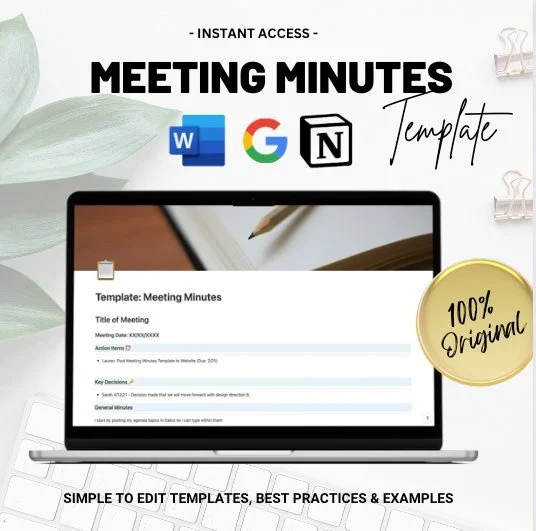
Meeting Minutes (Notion & Google)
RACI Chart/Roles & Responsibilities (Notion)
Capacity Calculator - 2 & 3 team versions (GSheets)
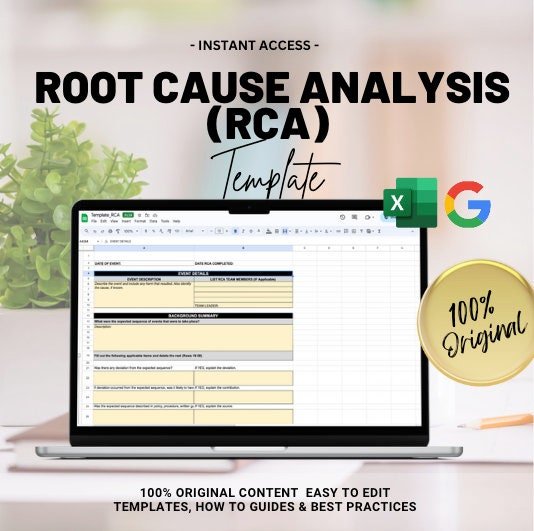
RCA/Root Cause Analysis (GSheets)
Project Communication Plan (Notion)
RAID log (Notion)
Risk Register - 2 versions (Notion)
Project Status Report (Notion)
Client Status Report w/Budget (Notion)
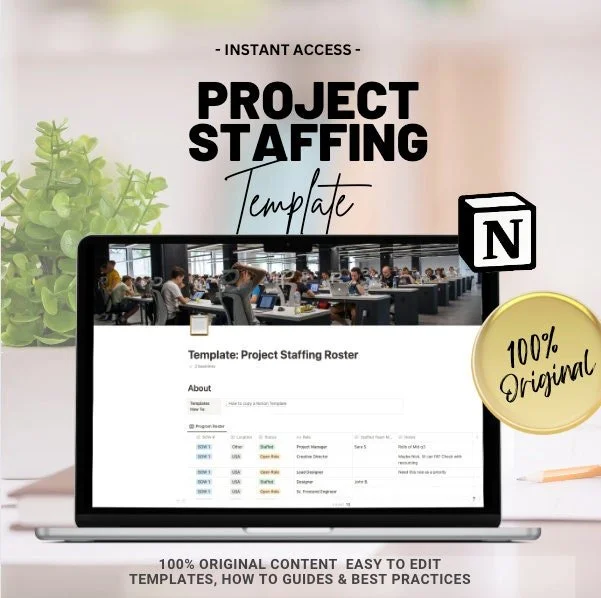
Project Staffing Roster (Notion)
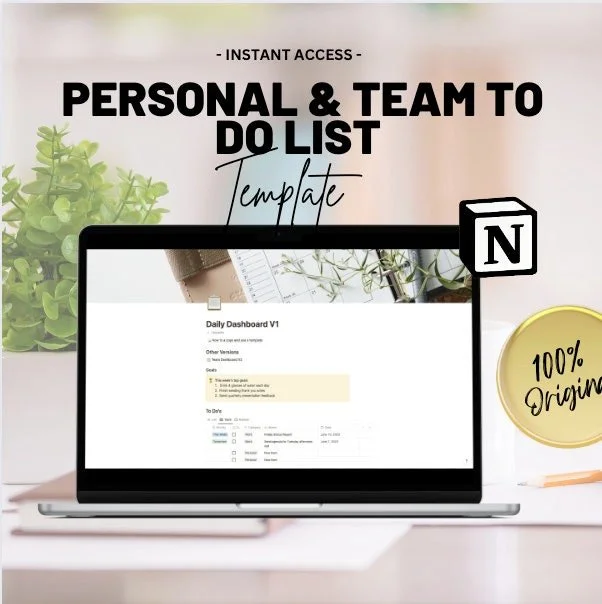
To Dos / Daily Dashboard - Personal (Notion)
To Dos /Team Dashboard - (Notion)
+ Notion’s most useful native project management templates
✍️ Product Details
Instant Download:Once you have added your item to cart and completed your purchase, you'll receive a file with links to the live files for the templates and/or guides & tutorials.
Customizable: With your template you will be able to:
Save a personal copy for yourself
Add, Remove or Edit all text and images.
Adjust text color, and look and feel as desired
Live link to file: With a live link to a Notion, GDocs or GSheets format, you have the ability to download a version of the file at the time of receipt, but hang onto the link to receive all of the additional updates to the file over time so always have the latest and greatest version!
⏳ Why Use a Business Template? ⌛
Time-Saving: Templates significantly cut down the hours spent on planning and management. More time means more focus on strategic decisions.
Consistency: Following a template ensures that you don’t miss out on essential steps, keeping your project standardized and professional.
Cost-Efficient: By saving time, you inherently save money. Think of it as an investment that pays off exponentially.
User-Friendly: Designed with both novice and seasoned professionals in mind. Spend less time figuring out the "how" and more time executing.
Scalable: As your projects grow, your template grows with you. Easily adaptable for different project scopes and sizes.
🌟 For Google Templates: Google Docs & Sheets Templates are able to be exported to Microsoft Word or Excel. On occasion we will link an Excel or Word doc directly to a download file for convenience, but we always recommend following the live link provided with your purchase to access the latest version, and then export a copy to Word or Excel from there.
🌟 For Notion Templates: -Note: You do not need a Notion account to view the template, but you will need to create a free account to be able to save a Notion template. Sign up is simple, and all you need is your name, email and a password, just like creating a free Google account). There is no cost to do this. There is a pro version of this software for purchase that has additional features, but you do not need the pro version to access this template.
Follow the ‘How to duplicate a template’ instructions in your file to either
Export the template to PDF
Copy and paste the information into Word or Google Docs.
Duplicate and save a version of the Notion Template
🌟 For Canva Templates: Like Notion, You will need to create a FREE Canva account to access templates created in Canva.
Additional Details:
100% Original Content: None of the files being presented here are pulled from across the web and repurposed. If you see any version of this template being sold by anybody other than this shop owner, please report.
Access Forever: We frequently add updates and new versions to our templates, these will be added to the live file at the same link so that you will always have the most relevant industry standard updates.
Instant Download & Compatibility: Upon purchase, you will receive a file that has a live link to your template or training. From there, you will be able to see instructions on how to duplicate the file. Please review the product description to understand what format to expect your file
Refunds & Satisfaction: Due to the nature of the product, I cannot offer a refund because after purchase you will have already had access to the tool or template. However, should the template not meet your goals, please reach out us to see if an adjustment or update to the template can be made and do everything we can to fix your issue so that you are satisfied.
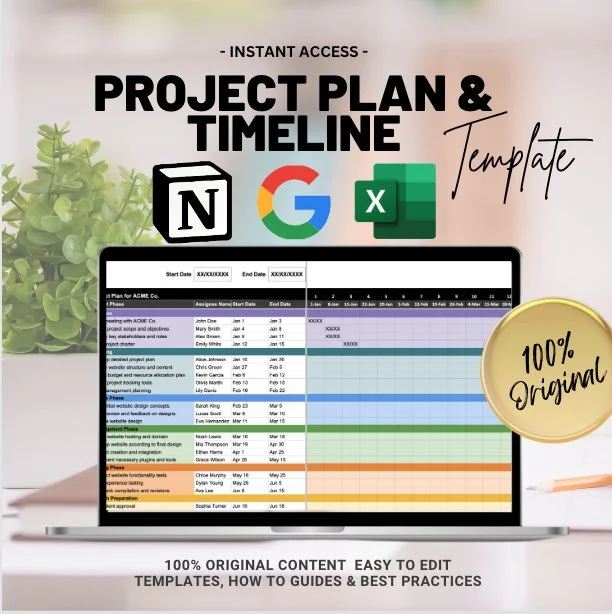
📌 Formats: Notion/Excel/Google Sheets
✍️ Product Details
- Instant Download:Once you have added your item to cart and completed your purchase, you'll receive a file with links to the live files for the templates and/or guides & tutorials.
- Customizable: With your template you will be able to:
- Save a personal copy for yourself
- Add, Remove or Edit all text and images.
- Adjust text color, and look and feel as desired
- Live link to file: With a live link to a Notion, GDocs or GSheets format, you have the ability to download a version of the file at the time of receipt, but hang onto the link to receive all of the additional updates to the file over time so always have the latest and greatest version!
🌟 For Google Templates: Google Docs & Sheets Templates are able to be exported to Microsoft Word or Excel. On occasion we will link an Excel or Word doc directly to a download file for convenience, but we always recommend following the live link provided with your purchase to access the latest version, and then export a copy to Word or Excel from there.
🌟 For Notion Templates:
Note: You do not need a Notion account to view the template, but you will need to create a free account to be able to save a Notion template. Sign up is simple, and all you need is your name, email and a password, just like creating a free Google account). There is no cost to do this. There is a pro version of this software for purchase that has additional features, but you do not need the pro version to access this template.
- Follow the ‘How to duplicate a template’ instructions in your file to either
1. Export the template to PDF
2. Copy and paste the information into Word or Google Docs.
3. Duplicate and save a version of the Notion Template
🌟 For Canva Templates: Like Notion, You will need to create a FREE Canva account to access templates created in Canva.
Additional Details:
- 100% Original Content: None of the files being presented here are pulled from across the web and repurposed. If you see any version of this template being sold by anybody other than this shop owner, please report.
- Access Forever: We frequently add updates and new versions to our templates, these will be added to the live file at the same link so that you will always have the most relevant industry standard updates.
- Instant Download & Compatibility: Upon purchase, you will receive a file that has a live link to your template or training. From there, you will be able to see instructions on how to duplicate the file. Please review the product description to understand what format to expect your file
- Refunds & Satisfaction: Due to the nature of the product, I cannot offer a refund because after purchase you will have already had access to the tool or template. However, should the template not meet your goals, please reach out us to see if an adjustment or update to the template can be made and do everything we can to fix your issue so that you are satisfied.

While this template is included in the 20+ templates in the starter kit, you can purchase individually as needed!
This template offers Project Managers and Scrum Masters the ability to quickly plug in the availability of their Tech teams to account for Sprint Planning.
There are built in configurable buffers for leads (who need extra time allocated for team leadership) as well as vacation and holidays.
✍️ Product Details
Instant Download:Once you have added your item to cart and completed your purchase, you'll receive a file with links to the live files for the templates and/or guides & tutorials.
Customizable: With your template you will be able to:
Save a personal copy for yourself
Add, Remove or Edit all text and images.
Adjust text color, and look and feel as desired
Live link to file: With a live link to a Notion, GDocs or GSheets format, you have the ability to download a version of the file at the time of receipt, but hang onto the link to receive all of the additional updates to the file over time so always have the latest and greatest version!
⏳ Why Use a Business Template? ⌛
Time-Saving: Templates significantly cut down the hours spent on planning and management. More time means more focus on strategic decisions.
Consistency: Following a template ensures that you don’t miss out on essential steps, keeping your project standardized and professional.
Cost-Efficient: By saving time, you inherently save money. Think of it as an investment that pays off exponentially.
User-Friendly: Designed with both novice and seasoned professionals in mind. Spend less time figuring out the "how" and more time executing.
Scalable: As your projects grow, your template grows with you. Easily adaptable for different project scopes and sizes.
🌟 For Google Templates: Google Docs & Sheets Templates are able to be exported to Microsoft Word or Excel. On occasion we will link an Excel or Word doc directly to a download file for convenience, but we always recommend following the live link provided with your purchase to access the latest version, and then export a copy to Word or Excel from there.
🌟 For Notion Templates: -Note: You do not need a Notion account to view the template, but you will need to create a free account to be able to save a Notion template. Sign up is simple, and all you need is your name, email and a password, just like creating a free Google account). There is no cost to do this. There is a pro version of this software for purchase that has additional features, but you do not need the pro version to access this template.
Follow the ‘How to duplicate a template’ instructions in your file to either
Export the template to PDF
Copy and paste the information into Word or Google Docs.
Duplicate and save a version of the Notion Template
🌟 For Canva Templates: Like Notion, You will need to create a FREE Canva account to access templates created in Canva.
Additional Details:
100% Original Content: None of the files being presented here are pulled from across the web and repurposed. If you see any version of this template being sold by anybody other than this shop owner, please report.
Access Forever: We frequently add updates and new versions to our templates, these will be added to the live file at the same link so that you will always have the most relevant industry standard updates.
Instant Download & Compatibility: Upon purchase, you will receive a file that has a live link to your template or training. From there, you will be able to see instructions on how to duplicate the file. Please review the product description to understand what format to expect your file
Refunds & Satisfaction: Due to the nature of the product, I cannot offer a refund because after purchase you will have already had access to the tool or template. However, should the template not meet your goals, please reach out us to see if an adjustment or update to the template can be made and do everything we can to fix your issue so that you are satisfied.

📌 Formats: Notion/Google Docs/Word Doc
✍️ Product Details
- Instant Download:Once you have added your item to cart and completed your purchase, you'll receive a file with links to the live files for the templates and/or guides & tutorials.
- Customizable: With your template you will be able to:
- Save a personal copy for yourself
- Add, Remove or Edit all text and images.
- Adjust text color, and look and feel as desired
- Live link to file: With a live link to a Notion, GDocs or GSheets format, you have the ability to download a version of the file at the time of receipt, but hang onto the link to receive all of the additional updates to the file over time so always have the latest and greatest version!
🌟 For Google Templates: Google Docs & Sheets Templates are able to be exported to Microsoft Word or Excel. On occasion we will link an Excel or Word doc directly to a download file for convenience, but we always recommend following the live link provided with your purchase to access the latest version, and then export a copy to Word or Excel from there.
🌟 For Notion Templates:
Note: You do not need a Notion account to view the template, but you will need to create a free account to be able to save a Notion template. Sign up is simple, and all you need is your name, email and a password, just like creating a free Google account). There is no cost to do this. There is a pro version of this software for purchase that has additional features, but you do not need the pro version to access this template.
- Follow the ‘How to duplicate a template’ instructions in your file to either
1. Export the template to PDF
2. Copy and paste the information into Word or Google Docs.
3. Duplicate and save a version of the Notion Template
🌟 For Canva Templates: Like Notion, You will need to create a FREE Canva account to access templates created in Canva.
Additional Details:
- 100% Original Content: None of the files being presented here are pulled from across the web and repurposed. If you see any version of this template being sold by anybody other than this shop owner, please report.
- Access Forever: We frequently add updates and new versions to our templates, these will be added to the live file at the same link so that you will always have the most relevant industry standard updates.
- Instant Download & Compatibility: Upon purchase, you will receive a file that has a live link to your template or training. From there, you will be able to see instructions on how to duplicate the file. Please review the product description to understand what format to expect your file
- Refunds & Satisfaction: Due to the nature of the product, I cannot offer a refund because after purchase you will have already had access to the tool or template. However, should the template not meet your goals, please reach out us to see if an adjustment or update to the template can be made and do everything we can to fix your issue so that you are satisfied.